Many users search for how to bypass Fileboom when they run into slow download speeds, waiting timers, limited daily downloads, or the hassle of managing multiple premium accounts across different file-hosting platforms.
But in most cases, “bypass” does not have to mean hacking, cracking, or violating platform rules. A more practical and safer interpretation is this: how can users access files they are allowed to download in a faster, more flexible, and more cost-efficient way?
To answer that, it helps to understand how file-hosting services work and why platforms like Fileboom often place limits on free downloads.
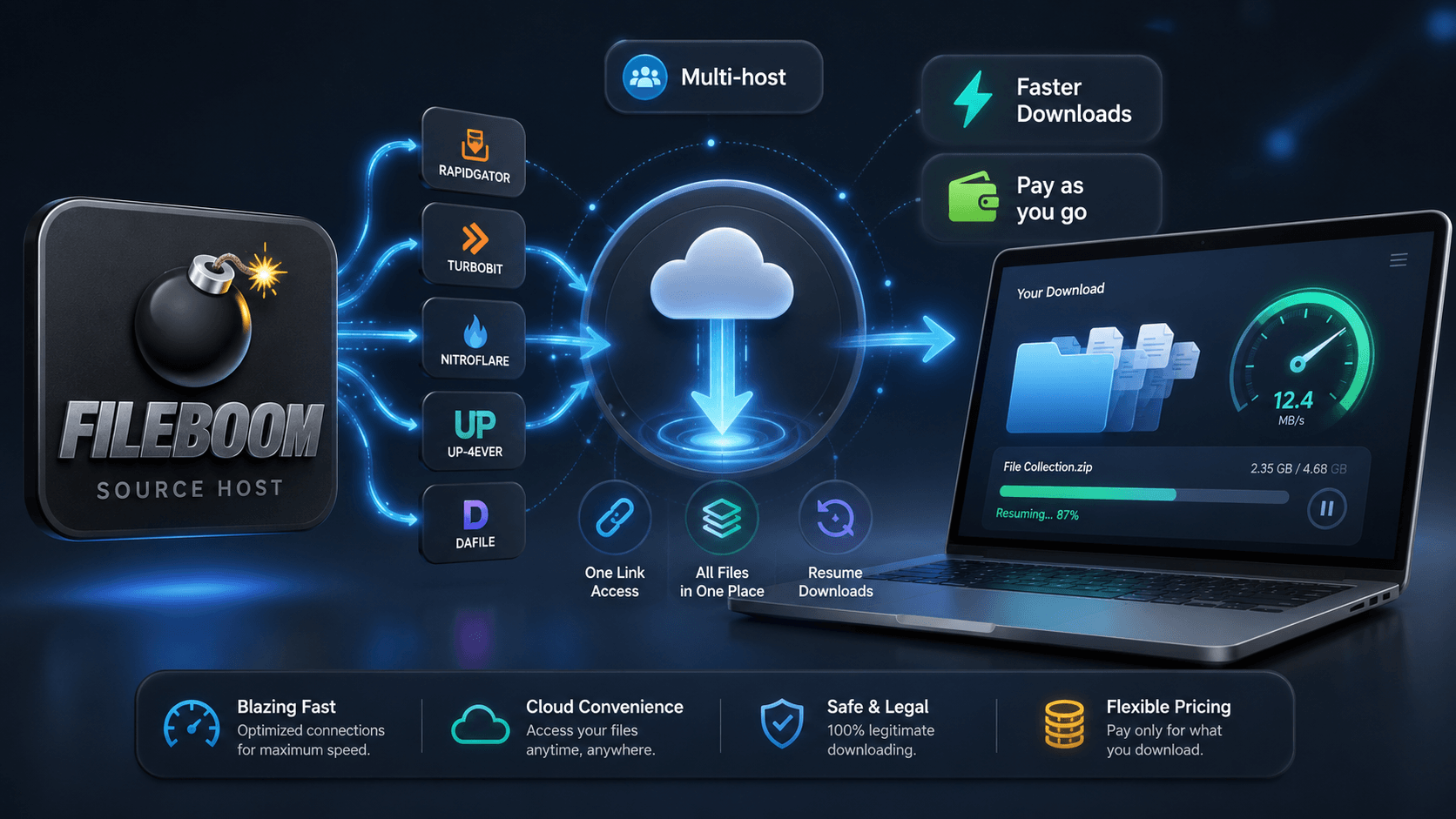
Why Fileboom Downloads Can Feel Slow or Restricted
File-hosting platforms provide storage and bandwidth. When someone uploads a file, the platform stores it on its servers and allows other users to download it through a shared link.
This sounds simple, but bandwidth costs money. To manage server resources, many file hosts place restrictions on free users. These may include slower speeds, countdown timers, CAPTCHA checks, limited parallel downloads, or no resume support.
That is why many people start searching for terms like how to bypass Fileboom. What they usually want is not a risky workaround, but a smoother way to download large files without wasting time or buying a full premium subscription for one occasional download.
A Better Way to Think About “Bypassing” Fileboom
Instead of looking for unsafe tools or questionable tricks, it is better to think in terms of download optimization.
If you have the right to access a file, the real problem is often not the file itself. The problem is the path between the file host and your device. That path may be slow, unstable, or locked behind a subscription model that does not match your actual usage.
For example, if you only need to download a few files from Fileboom this month, buying a full monthly premium account may feel excessive. If next month your files are on Rapidgator, Keep2Share, Katfile, or NitroFlare, you may face the same issue again.
This is where multi-host download services such as Storage Portal become useful.
What Is Storage Portal?
Storage Portal is a pay-as-you-go premium link generator and debrid-style file transfer service. According to its website, users can paste a file-hosting link, let Storage Portal fetch the file to its high-speed servers, and then download the file from Storage Portal instead. The service emphasizes that there are no monthly fees and that users only pay for the traffic they actually use.
In simple terms, Storage Portal works like a bridge between supported file-hosting platforms and the user. Instead of maintaining separate premium accounts for many different hosts, users can manage downloads through one balance and one interface.
The platform states that it supports 50+ premium hosters, including Fileboom, Rapidgator, FileJoker, Keep2Share, UploadGig, NitroFlare, Turbobit, Upstore, Tezfiles, 1fichier, Katfile, Hotlink, Depositfiles, DDownload, 4shared, Filefox, and others.
Why Pay-as-You-Go Can Make More Sense
Traditional premium file-host subscriptions usually charge by time: daily, monthly, or yearly access. That model works well for heavy users who download large amounts of data all the time.
But casual users often need something different.
If you only download files occasionally, paying for a full month may lead to waste. You may use the service for one or two days and leave the rest of the subscription unused. Storage Portal takes a different approach by letting users pay only for the traffic they consume. Its homepage says one balance works across all supported platforms, which makes the model more flexible for users who download from different hosts.
Storage Portal’s own help content also promotes downloads from as low as $0.08/GB, positioning this as an alternative to buying time-limited premium subscriptions.
This is one of the main reasons users looking for how to bypass Fileboom may find a pay-per-GB model more practical than a traditional premium account.
How Storage Portal Helps With Fileboom Downloads
For Fileboom users, Storage Portal may help reduce several common frustrations.
First, it provides a unified download workflow. Users can paste a Fileboom link into Storage Portal and generate a direct download route through Storage Portal’s servers.
Second, it is designed for multiple hosts, not just Fileboom. This matters because many users download files from different platforms depending on where the uploader stored the content.
Third, Storage Portal says its generated links remain valid for up to 36 hours and support resume downloads, giving users more time and flexibility to complete larger transfers.
Fourth, the platform supports parallel processing, allowing users to submit multiple links at once instead of handling every file manually.
For users who regularly manage large files, these features can make the downloading process feel less fragmented and more predictable.
Extra Features: WebDAV and Batch Processing
Storage Portal is not limited to simple browser downloads. Its website also mentions WebDAV support, which allows users to mount the service like a local drive and manage files through a file manager. It can also be paired with media players for online streaming.
This is useful for users who prefer a more organized workflow. Instead of downloading everything manually through separate browser tabs, they can manage files more like cloud storage.
Batch processing is another practical feature. If you have several Fileboom or other host links, submitting them together can save time compared with processing each link one by one.
Free Traffic for New Users
For new users, Storage Portal also has a Free Traffic section. This gives users a way to try the service before committing to paid traffic. Since offers and availability may change, it is best to check the current free traffic details directly on the website.
This trial-friendly approach is useful because download needs vary. Some users only need a few gigabytes, while others may download large archives, videos, research files, or backup materials. Testing the service first helps users decide whether the pay-as-you-go model fits their actual usage.
Is This the Same as Hacking Fileboom?
No.
A legitimate premium link generator or debrid service should not be confused with hacking, stealing accounts, or bypassing copyright protections. Users should only download files they have the legal right to access.
The safer and more accurate way to understand how to bypass Fileboom is not “how to break Fileboom,” but “how to avoid slow, inefficient, and expensive download workflows when accessing permitted files.”
Storage Portal is positioned as a convenience and traffic-based download service, not a tool for illegal access.
Final Thoughts
People search for how to bypass Fileboom because they want faster downloads, fewer limits, and a more convenient way to access files. But risky shortcuts can create security, privacy, and legal problems.
A better solution is to use a legitimate multi-host service that improves the download workflow. Storage Portal offers a pay-as-you-go model, support for many mainstream file hosts, no monthly subscription requirement, traffic pricing promoted from $0.08/GB, free traffic options for new users, 36-hour link validity, resume support, WebDAV access, and batch processing.
For users who occasionally download from Fileboom and other popular file hosts, this kind of model can be more flexible than buying separate premium accounts. Instead of paying for time you may not use, you pay for the traffic you actually need.